Home / Widgets / Notification
Build Trust

Show Real-Time Activity Notifications

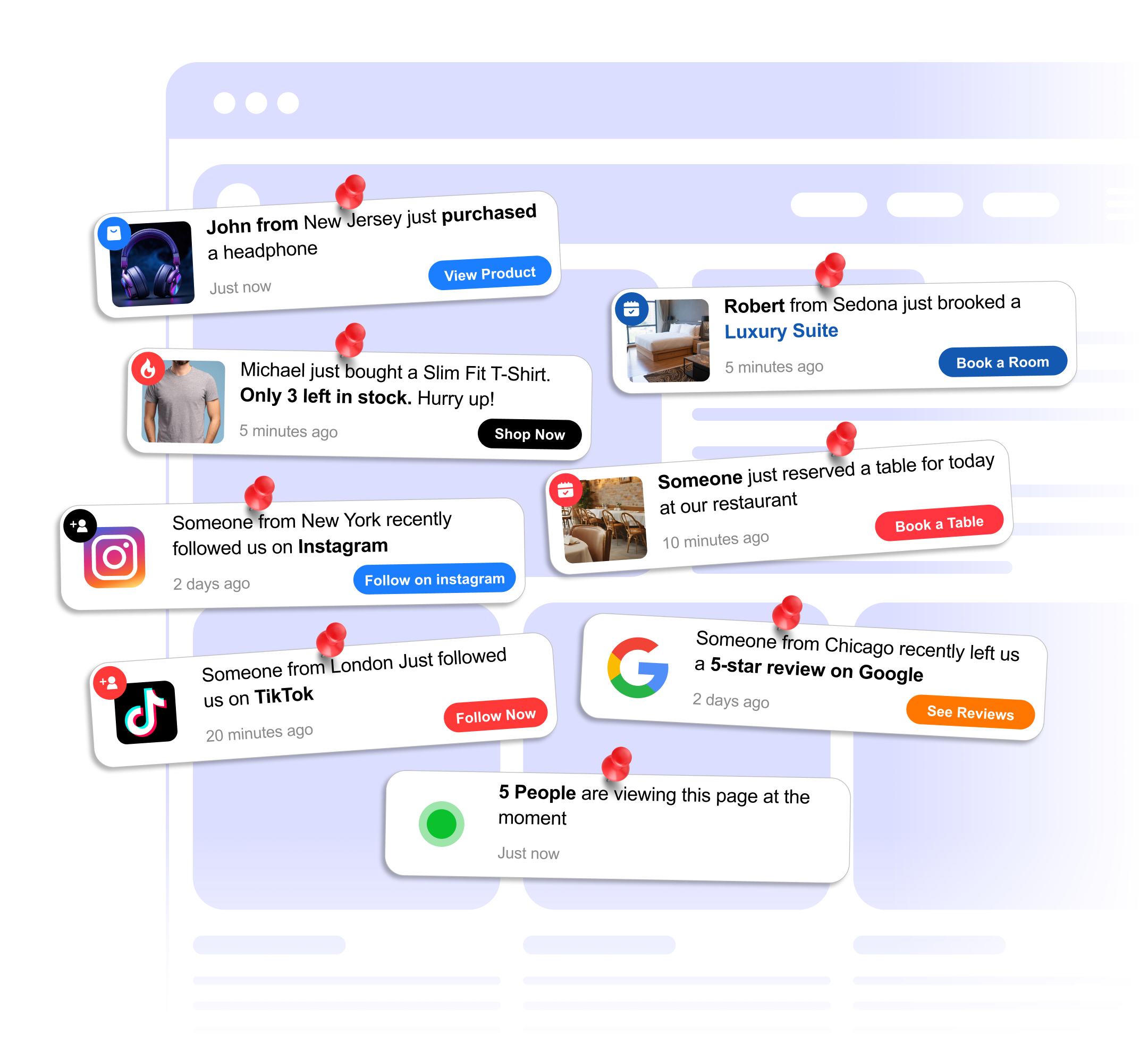
Display recent signups, purchases, or reviews as small popups on your site. Social proof notifications help visitors trust your business and take action.

15% increase in conversions when social proof notifications are shown
FOMO real-time activity creates urgency and encourages visitors to act
Trust showing recent purchases and signups validates your business to new visitors
Notification preview
Features

What makes the Notification widget stand out.

Built to be simple to set up and powerful in results. Here are the highlights.

1

Purchase Notifications

Show recent purchase activity with customer names, locations, and product details to create buying urgency.

2

Signup Alerts

Display recent signups to show visitors that others are joining, encouraging them to sign up too.

3

Review Popups

Show recent positive reviews as notification popups to build trust while visitors browse your site.

And 7 more features.
Why you need this

The numbers that matter.

15%
increase in conversions when social proof notifications are shown
FOMO
real-time activity creates urgency and encourages visitors to act
Trust
showing recent purchases and signups validates your business to new visitors
Use cases

How businesses use the Notification widget.

Real-world scenarios where the notification widget delivers results.

E-commerce

E-commerce Purchase Popups

Show 'John from New York just purchased...' notifications to create FOMO and drive impulse purchases on your store.

SaaS

SaaS Signup Notifications

Display recent trial signups to show potential customers that others are actively trying your product.

Education

Online Course Enrollments

Show 'Sarah just enrolled in...' notifications on your course landing page to boost enrollment rates.

Who uses this.

E-commerce storesSaaS companiesOnline coursesBooking platformsMarketplaces
FAQ

Notification Widget FAQ

Common questions about social proof notifications

What kind of notifications can I show?

You can display recent purchases, signups, reviews, or custom events. Each notification appears as a small popup in the corner of your site.

Can I customize how notifications look?

Yes. You can change colors, position, timing, and content to match your site's design.

How do I add notifications to my website?

Copy the embed code from the builder and paste it into your website's HTML. It works with any site builder or CMS.

Will notifications slow down my site?

No. The widget loads asynchronously and has minimal impact on page speed.

Can I control the timing between notifications?

Yes, you can set the delay between notifications, how long each one stays visible, and the initial delay before the first notification appears.

Can I add my own notification data?

Yes, you can manually enter notification data (names, locations, products) through the builder. This is useful for new stores that want social proof from day one.

Do notifications appear on mobile?

Yes, notifications are responsive and appear in a mobile-friendly size. You can also choose to disable them on mobile if you prefer.

Related widgets

You might also like.

Add Notification widget to your site for free.

Customize it your way. No coding needed.