Start Conversations
Connect With Customers on WhatsApp
Add a WhatsApp chat button to your website so visitors can message you in one tap. It opens a chat with your number in WhatsApp.
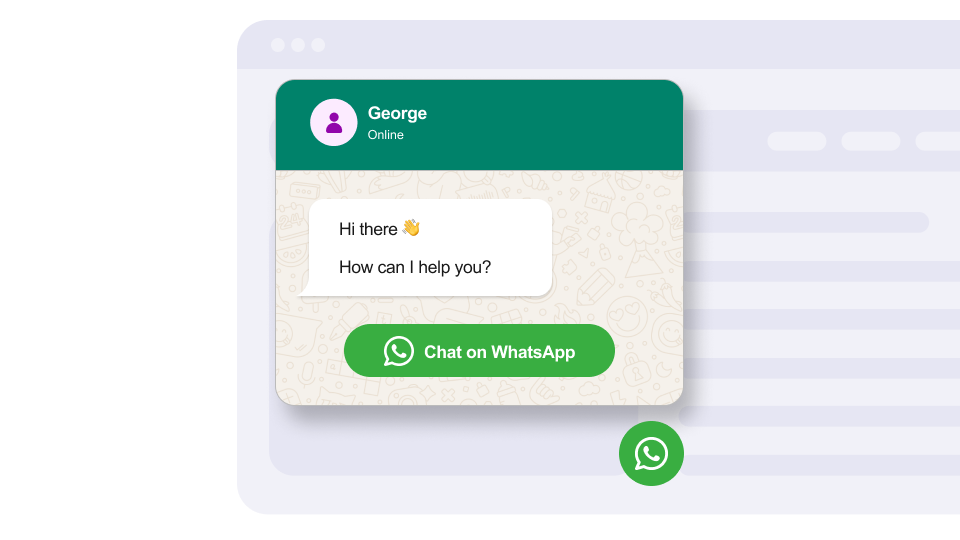
Add a WhatsApp chat button to your website so visitors can message you in one tap. It opens a chat with your number in WhatsApp.
Built to be simple to set up and powerful in results. Here are the highlights.
A WhatsApp button that floats in the corner of your site, always within reach.
A friendly greeting in a chat-style popup invites visitors to start a conversation.
Open the welcome popup automatically after a delay you choose.
And 4 more features.
Real-world scenarios where the whatsapp widget delivers results.
Let shoppers ask product questions before buying, straight from your store.
Add WhatsApp to property listing pages so buyers can ask about a listing in one tap.
Let diners book tables or ask about the menu through WhatsApp, without calling during the rush.
Common questions about our WhatsApp chat widget
Enter your WhatsApp phone number with the country code. The chat button opens a conversation with that number.
Yes. Set your display name, avatar, online or offline status, welcome message and button text, and place the button at the bottom left or bottom right.
Yes. You can have the welcome popup open automatically after a delay you choose.
You can show an Online or Offline status next to your name. You switch it in the builder; it does not follow a schedule.
Yes, visitors need a WhatsApp account. On mobile the button opens the WhatsApp app. On desktop it opens WhatsApp Web or the desktop app.
Yes. The WhatsApp widget works on Shopify, WordPress, Squarespace, Wix, Webflow and any site that supports custom HTML.
Customize it your way. No coding needed.