Start Conversations
Connect With Customers on LINE
Add a LINE chat button to your website that opens your LINE Official Account. Ideal for customers in Japan, Taiwan, Thailand and other markets where LINE is the go-to messenger.
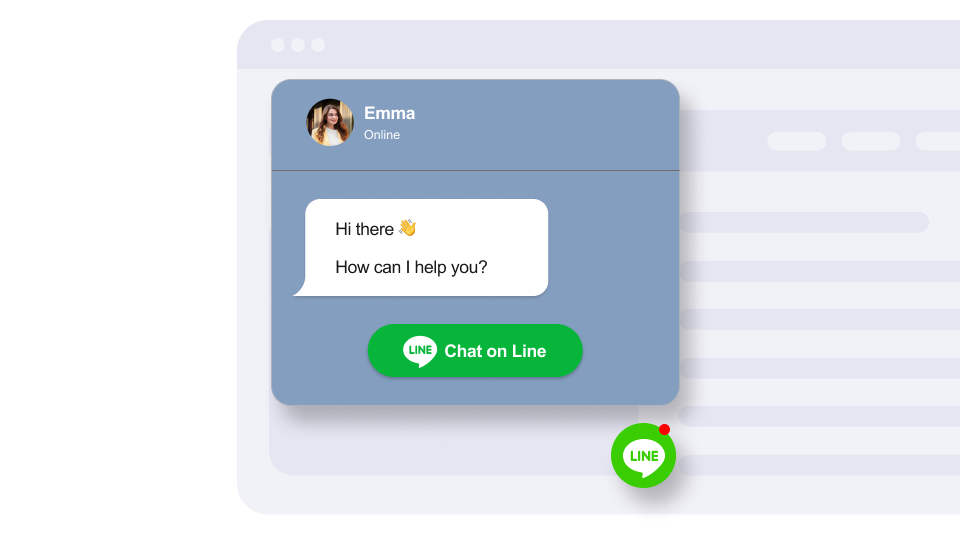
Add a LINE chat button to your website that opens your LINE Official Account. Ideal for customers in Japan, Taiwan, Thailand and other markets where LINE is the go-to messenger.
Built to be simple to set up and powerful in results. Here are the highlights.
A recognizable LINE button that visitors in Asia-Pacific markets understand at a glance.
Show a friendly greeting that encourages visitors to connect with you on LINE.
Opens a chat with your LINE Official Account.
And 4 more features.
Real-world scenarios where the line widget delivers results.
Let diners in Japan book tables through LINE, their most-used messaging app.
Let hotel guests in Thailand message your front desk on LINE for requests and local tips.
Answer questions about sizing, availability and shipping on LINE for your Taiwanese store.
Common questions about our LINE chat widget
Enter your LINE Official Account ID (the one that starts with @). The button opens a chat with that account.
Yes. Set your display name, avatar, status, welcome message and button text, and place the button at the bottom left or bottom right.
Yes. The widget is built for LINE Official Accounts, which is what most businesses use.
LINE Official Accounts let you add several admins in LINE's own tools. The widget simply opens the chat with your account.
On mobile it opens the LINE app. On desktop, LINE shows a QR code to scan or opens the LINE desktop app.
The widget links directly to your LINE account. For in-store use, you can generate a QR code from your LINE Official Account dashboard.
Customize it your way. No coding needed.