Capture Leads
Add a Careers Page to Your Website
List your open roles with search and filters. Candidates apply through a built-in form, or each job links to your own hiring tool.
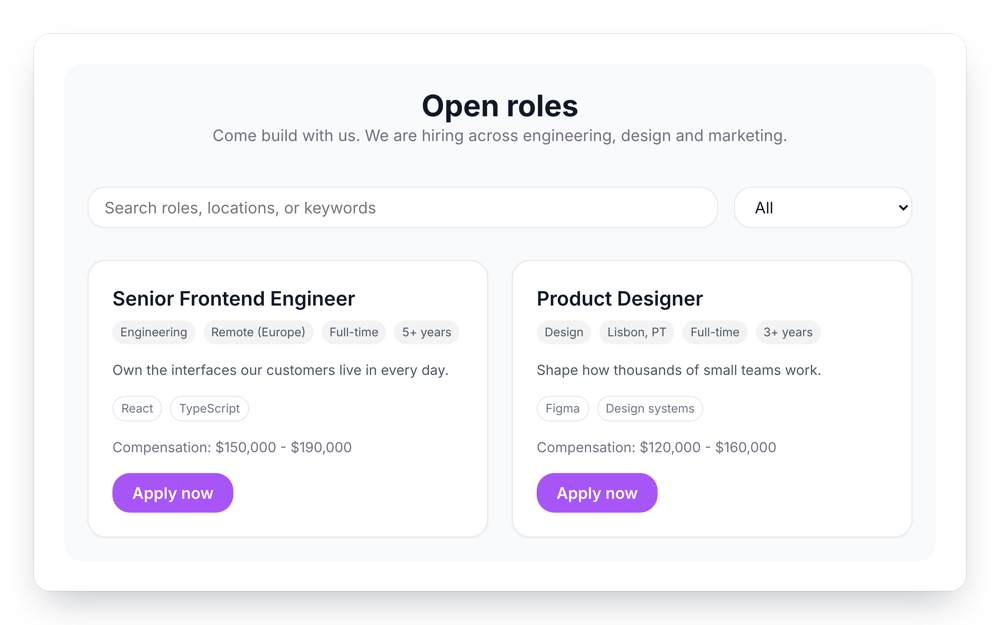
List your open roles with search and filters. Candidates apply through a built-in form, or each job links to your own hiring tool.
Built to be simple to set up and powerful in results. Here are the highlights.
Show location, department, employment type, salary, experience and skill tags for each role.
Visitors search roles and filter by department, location or employment type.
Candidates apply without leaving your site, or each job links to your hiring tool.
And 4 more features.
Real-world scenarios where the careers page widget delivers results.
List engineering and design roles with salary ranges, and filter them by department.
Post kitchen and front-of-house roles and collect applications with a short form.
Send candidates to your hiring tool with an apply link on each job.
Common questions about listing jobs on your site
Choose one of two ways: a built-in application form that opens over the page, or an apply button that sends candidates to your own application page, such as your hiring tool.
Each application is emailed to you, and you can turn this off. You can also add each application as a row in a Google Sheet.
File uploads are not available. Add a field that asks for a link to their CV or portfolio, or send candidates to a hiring tool that accepts files.
A title, location, department, employment type, salary range, experience level, a description and skill tags.
Yes. Show a search box and a filter by department, location or employment type. You can turn either one off.
Text, long text, email, number, dropdown, checkboxes, radio buttons and date. Mark any field as required.
The widget shows a message you write, such as asking people to check back later.
Customize it your way. No coding needed.