Capture Leads
Let Customers Book Appointments on Your Website
List your services, set your opening hours and let visitors pick a time that suits them. Every booking appears in your dashboard, and can go to your Google Calendar and a Google Sheet.
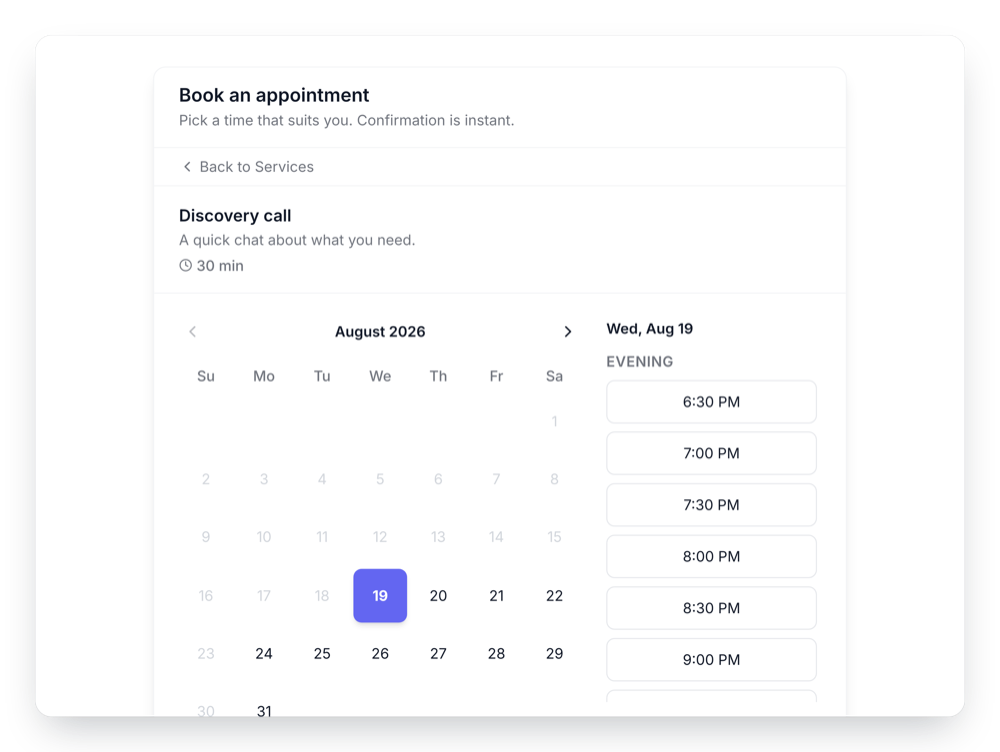
List your services, set your opening hours and let visitors pick a time that suits them. Every booking appears in your dashboard, and can go to your Google Calendar and a Google Sheet.
Built to be simple to set up and powerful in results. Here are the highlights.
Add each service with its length, an optional price, a description and an image.
Set hours per day with breaks, and override them for holidays or special dates.
Add bookings to your calendar and skip times that are already busy there.
And 6 more features.
Real-world scenarios where the appointment booking widget delivers results.
Offer a free 30-minute intro call and a paid strategy session, each with its own length and price.
List cuts, colour and treatments, with a lunch break in the day and a closure for public holidays.
Let students in other time zones book lessons in their own local time.
Common questions about online booking
They pick a service, a date and an open time, then fill in a short form to confirm. If you offer only one service, the service step is skipped.
Yes. Set hours for each day of the week, with more than one time range per day for breaks such as lunch. Add date overrides to close for holidays or open with different hours on specific dates.
You set your business's time zone and enter your hours in it. Visitors see the open times converted to their own time zone.
No. A booked time is no longer offered, and the time is checked again when a booking is confirmed.
Yes. Connect Google Calendar and each booking is added to it, and times that are already busy in that calendar are not offered. If your booking form asks for an email address, the customer gets the calendar invite.
Every booking is listed in your dashboard. You can also turn on an email for each new booking and add bookings to a Google Sheet.
You choose a minimum notice, from none up to a week, and how far ahead bookings open, from one week up to a year.
Not at the moment. You can show a price for each service, but payment happens outside GetWidget.
Yes. Show it inline where you paste the embed code, or as a floating button in a corner of the page that opens it.
Customize it your way. No coding needed.