Home / Widgets / WhatsApp
Start Conversations

Connect With Customers on WhatsApp

Add a WhatsApp chat button to your website so visitors can message you instantly. No app install needed for your customers.

2B+ people use WhatsApp globally, making it the world's most popular messenger
98% open rate for WhatsApp messages vs 20% for email
3x faster response times when customers can message you directly
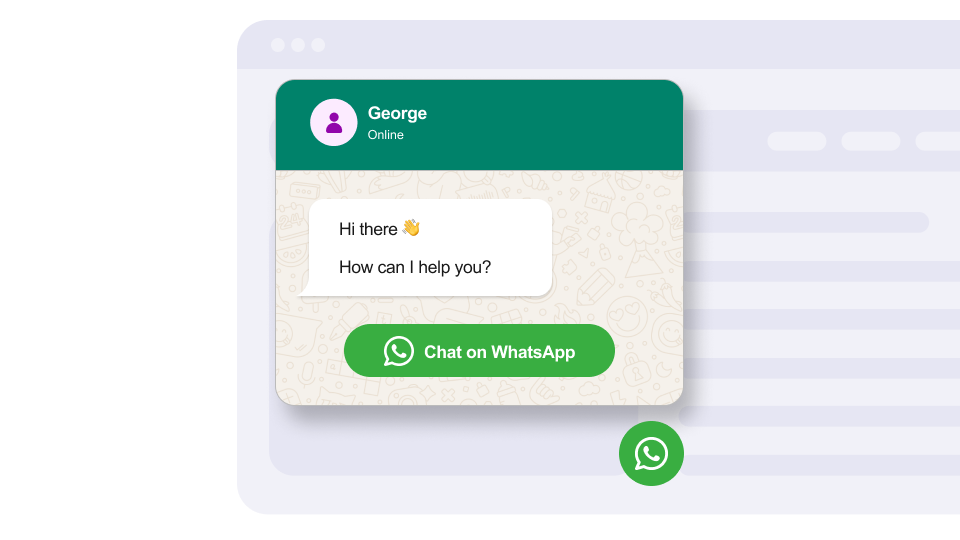
WhatsApp preview
Features

What makes the WhatsApp widget stand out.

Built to be simple to set up and powerful in results. Here are the highlights.

1

Floating Chat Button

A customizable WhatsApp button that floats in the corner of your site, always accessible to visitors without being intrusive.

2

Pre-filled Messages

Set a default message that auto-fills when visitors click the button, giving context about which page they came from.

3

Welcome Message

Display a friendly greeting message that appears above the chat button to encourage visitors to start a conversation.

And 7 more features.
Why you need this

The numbers that matter.

2B+
people use WhatsApp globally, making it the world's most popular messenger
98%
open rate for WhatsApp messages vs 20% for email
3x
faster response times when customers can message you directly
Use cases

How businesses use the WhatsApp widget.

Real-world scenarios where the whatsapp widget delivers results.

E-commerce

E-commerce Customer Support

Let shoppers ask product questions before buying. Pre-fill messages with the product name so your team has instant context.

Real Estate

Real Estate Property Inquiries

Add WhatsApp to property listing pages so potential buyers can instantly ask about a listing they are viewing.

Restaurants

Restaurant Reservations

Let diners book tables or ask about the menu through WhatsApp. Perfect for restaurants where phone calls are difficult during rush hours.

Who uses this.

E-commerce storesReal estate agentsRestaurantsTravel agenciesCustomer support teams
FAQ

WhatsApp Widget FAQ

Common questions about our WhatsApp integration widget

How do I connect my WhatsApp Business account?

Simply enter your WhatsApp Business phone number and follow our easy verification process to connect your account.

Can I customize the chat bubble?

Yes, you can customize the color, size, position, and welcome message of your WhatsApp chat bubble.

Does it work outside business hours?

Yes, you can set up automated responses for when you're unavailable and specify your business hours.

Can multiple team members handle chats?

Yes, you can connect multiple team members to handle customer conversations through WhatsApp Business.

Do visitors need WhatsApp installed?

On mobile, visitors are redirected to the WhatsApp app. On desktop, it opens WhatsApp Web in a new tab. Both work seamlessly.

Can I set a pre-filled message?

Yes, you can configure a default message that auto-fills when visitors click the chat button, making it easier for them to start a conversation.

Does the widget work on all website platforms?

Yes, the WhatsApp widget works on Shopify, WordPress, Squarespace, Wix, Webflow, and any site that supports custom HTML.

Related widgets

You might also like.

Add WhatsApp widget to your site for free.

Customize it your way. No coding needed.